
Seedream 4.5 prompt guide: patterns that hold up
Written by Clement
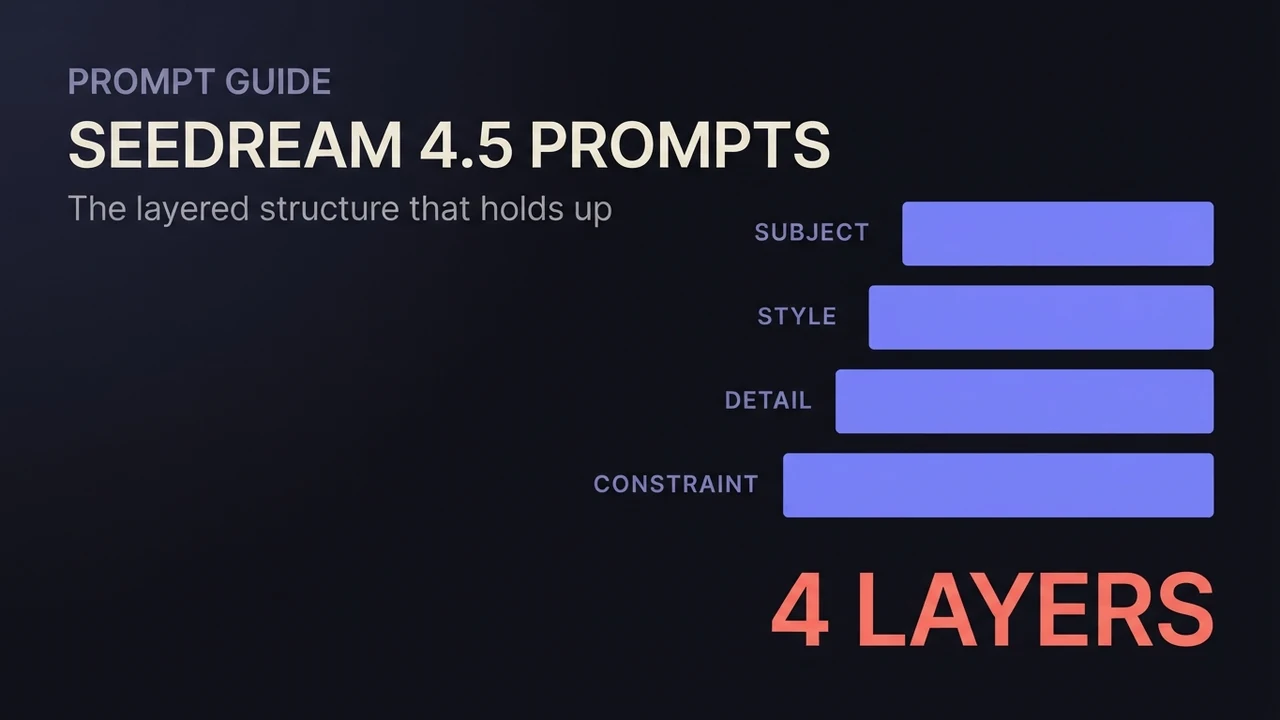
Most Seedream 4.5 prompts fail the same way: they describe a scene when the model needed an instruction, or they give an instruction so vague the model has to guess. The fix isn't creativity. It's structure, and the structure is learnable in one sitting.
This guide is the prompt-writing companion to our Seedream 4.5 walkthrough. That one covers the workflow and settings; this one goes deep on the words: how to layer a text-to-image prompt, how to phrase an edit so the model changes one thing and preserves the rest, and how to direct a multi-image fusion so each input contributes what you meant it to.
The one rule that governs every edit prompt
Seedream 4.5 treats your input image as the baseline and your prompt as the delta. That single fact decides how you should write. Name what changes. Only describe what stays the same when it isn't obvious from context. The moment you re-describe the whole scene, you've invited the model to regenerate things you wanted untouched.
We tested this directly, edit versus re-describe, and the gap was not subtle: "keep the product, change only the background" preserved the source far better than a fresh description of the same scene ever did. The re-described version looked plausible on its own. Side by side with the source, the product had drifted.
The layered structure for text-to-image
When there's no input image, build the prompt in layers, in this order: subject and pose first, then style and color palette, then setting and lighting, then camera framing. The order matters because it mirrors what the model weighs most heavily. A camera note buried at the front costs you subject fidelity at the back.
Here's the same prompt built up layer by layer. Subject: "a woman in her 30s mid-laugh, head tilted back." Style: "shot like a premium lifestyle editorial, warm muted palette." Setting: "in a sunlit kitchen, late afternoon light through the window." Camera: "waist-up framing, shallow depth of field." Each layer narrows the space without fighting the previous one.
Keep one focal point. If you need legible text or a clean face in the shot, say so plainly and give it room. Competing focal points are where this model's famous text and face rendering starts to wobble.
4 steps
Build an edit prompt in four passes
For image-to-image work, write the prompt in this order. It takes thirty seconds and saves whole rounds of regeneration.
- 1
Step 1 of 4
Name the single change
Start with the verb and the target: "replace the background with...", "change the outfit to...", "restyle the lighting as...".
One edit per prompt round beats three stacked edits that fight each other.
- 2
Step 2 of 4
Pin what must survive
Add the preserve clause only for what's at risk and not obvious: "keep the product, its label, and the lighting exactly as shown." You don't need to list everything. You need to list what the edit could plausibly disturb.
- 3
Step 3 of 4
Quote any exact text
If a label, sign, or headline must read a specific way, quote the exact string in the prompt.
Paraphrased text is the most common source of garbled lettering. Quoted strings are what this model is unusually good at.
- 4
Step 4 of 4
Review for consistency, not just quality
When the result comes back, check the preserved elements against the source before admiring the new ones.
A sharp, polished result can still have quietly drifted from the original. Consistency is the thing this model is tuned for, so hold it to that.
Copy-ready patterns
Templates for the most common jobs. Swap the bracketed parts; keep the shape.
- Background swap
- "Replace the background with [new setting]. Keep the [subject], its [key detail], and the lighting exactly as shown."
- Outfit change
- "Change the outfit to [new outfit]. Keep the face, pose, and framing unchanged."
- Style transfer
- "Restyle this image as [style]. Preserve the composition and the subject's identity."
- Two-image fusion
- "Use the person from image 1 and the jacket from image 2. Place the person in [setting], wearing the jacket, lit by [lighting]."
- Text in image
- "A [surface] that reads \"[exact string]\" in [style of lettering]. Make the text the focal point."
Get new prompt files and guides first
One email when a new tested prompt file or model guide goes live. Prompts that survived production, not theory. No spam, unsubscribe anytime.
Directing a multi-image fusion
Introduce each input's contribution explicitly: which image supplies the subject, which supplies a prop or style, and how they sit together in the new composition. The model responds to precise, layered instructions, and fusion is where that discipline pays most.
Fewer, cleaner inputs beat many marginal ones. Two or three sharp images that each own one element fuse more reliably than a pile where several barely contribute. And keep lighting reasonably matched across inputs: one studio shot plus one dim phone photo forces the model to reconcile two qualities of material, which is where fusions start looking assembled instead of shot as one scene.
When one element of a fusion looks wrong and the rest is right, resist rewriting the whole prompt. Check that element's source image first, then sharpen only the instruction that refers to it.
Two distinct characters in one frame
Asking for two specific characters in a single image is a different problem from fusion, and it fails in a characteristic way: the model averages them. You ask for two people and get one face twice, or a pair who share a hair color that belongs to only one of them. The technical name for this is attribute bleed, and it happens because the model is holding both descriptions in the same attention budget without a strong reason to keep them separate.
The fix is to give it that reason. Anchor each character to a distinct position in the frame and describe them as a unit, rather than listing all the traits of both and hoping they land on the right subject. "On the left, a tall woman with short black hair in a red jacket; on the right, a shorter man with blond curls in a grey coat" gives the model two spatial slots to fill separately. The same description written as a flat list of five traits gives it one blended pile.
Character LoRAs make this harder, not easier. Loading two character LoRAs at once is the most reliable way to produce a blend of both, because each is pulling the whole image toward its own subject. If you need two specific trained characters together, generating them separately and composing afterwards is usually less work than fighting the merge.
The LoRA's own quality matters more here than most people expect. A low-quality LoRA doesn't just render its subject worse, it actively degrades the model's ability to follow the rest of the prompt: details from the two characters blend into each other, and instructions that would normally be followed cleanly start getting mistakes. A well-trained LoRA holds its subject and lets the rest of the prompt behave normally; a weak one bleeds into everything around it.
When the prompt isn't the problem
Soft or under-detailed output on an edit usually traces back to the input image, not the wording. The model can sharpen and restyle, but it cannot invent detail that exists nowhere in the source. Before rewriting a prompt for the fourth time, look hard at what you fed it.
The same goes for faces in fusion work: if the source face is small, blurred, or half-turned, no phrasing rescues it. Swap the input for a cleaner one and the "prompt problem" tends to disappear.
Frequently asked questions
- How do I generate two different characters in one image?
- Give each character its own position in the frame and describe them as a unit, rather than listing every trait of both at once: "on the left, a tall woman with short black hair; on the right, a shorter man with blond curls". Listing traits flat invites attribute bleed, where the model averages the two into one look or gives them each other's features. Two character LoRAs loaded together make the blending worse, not better, so for two specific trained characters it is usually faster to generate them separately and compose the result.
- What does a good Seedream 4.5 prompt look like?
- For text-to-image: layered, in order: subject and pose, style and palette, setting and lighting, camera framing. For edits: an instruction naming the single change plus a short preserve clause for anything at risk. Both shapes are short. Precision beats length.
- How do I edit an image without Seedream changing everything?
- Write the delta, not the scene: "change only the background to a beach at sunset, keep the product and lighting as shown." Re-describing the full scene is the number one cause of unwanted drift.
- Can Seedream 4.5 render exact text?
- Yes, and unusually well, but only if you quote the exact string in the prompt and keep it a clear focal point. Paraphrasing the text or burying it among competing subjects is what produces garbled lettering.
- How many input images should I use for fusion?
- Two or three sharp ones, each contributing one element. More inputs don't add control; they dilute it. Quality and clarity of each source matter more than the count.
Keep reading
How to use Seedream 4.5 for AI image generation
A practical guide to ByteDance Seedream 4.5: how its text-to-image and image-to-image (multi-image fusion) modes work, how to reference input images in a prompt, the resolution and batch settings that matter, and how to get consistent, high-detail results.
How to use Dola-Seedream-5.0-lite for AI image generation
A practical guide to Dola-Seedream-5.0-lite (model ID seedream-5-0-260128): a text- and image-input model with web-connected retrieval, strong reference consistency, and accurate instruction following. Covers how to prompt it, combine reference images, and pick the right pricing tier.
How to use Z-Image for AI image generation
A practical guide to Z-Image (z-image-turbo): a fast, lightweight text-to-image model with clean English and Chinese text rendering. Covers the resolutions that work best, how to write a prompt it renders faithfully, and the settings that decide speed versus quality.
How to use FLUX.2 [klein] for AI anime-style images
A practical guide to FLUX.2 [klein]: a small, fast model that restyles a photo or photoreal image into anime/manga art. Covers how the image-to-image transform works, how to write a style prompt it responds to, and the mistakes that break the pose or composition.
Related models
Get new prompt files and guides first
One email when a new tested prompt file or model guide goes live. Prompts that survived production, not theory. No spam, unsubscribe anytime.